Welcome to Cubie: The 3D Printer's Voxel Editor
Discover Cubie, the browser-based voxel editor designed for 3D printing. No CAD skills required—just build, assemble, and print.
Why Cubie?
3D printing is magic. But 3D modeling? That's often a headache. CAD software is powerful but has a steep learning curve. Sculpting tools require artistic talent.
Cubie bridges this gap. We use voxels (3D pixels) to make modeling as intuitive as placing building blocks. If you can stack cubes, you can model in Cubie. But unlike a video game, everything you build here is engineered for the real world.
Key Capabilities
1. Zero-Friction Modeling
Open the browser and start building. No installation, no accounts required to start. The interface is clean, showing you only the tools you need when you need them.
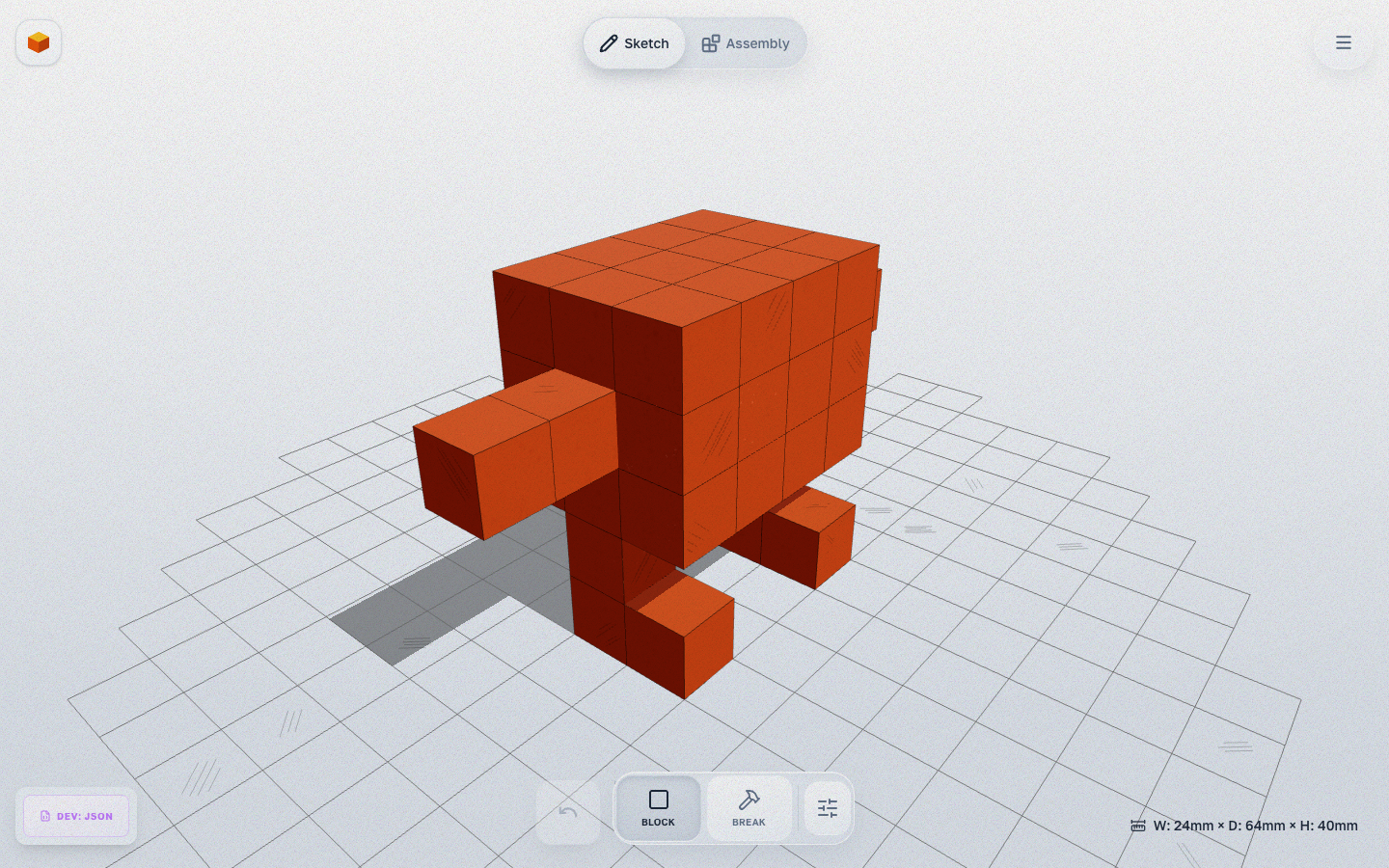
- Sketch Mode: Build your form quickly with voxels.
- Assembly Mode: Automatic joint generation and refinement tools.
2. Articulation Made Easy
This is our "secret sauce". Making a toy that moves usually involves complex engineering—figuring out tolerances, clearances, and hinge types. In Cubie, you just:
- Build your model in Sketch mode.
- Switch to Assembly — joints are generated automatically.
- Refine — use scissors, glue, reliefs to fine-tune. We handle the math. After printing, joints simply snap together (snap-fit).
3. Surface Detail
Don't settle for plain cubes. The Relief System includes 6 effect types (domes, spikes, bevels, and more). Texture Cavities create hollow shells with gyroid and other patterns. And edge rounding removes the characteristic "blocky" look.
Who is Cubie For?
- Kids & Parents: Design and print your own unique toys together.
- Tabletop Gamers: Create custom terrain and scenery.
- Educators: Teach 3D thinking without the frustration of complex UI.
Getting Started
Ready to create? Check out our guide on Getting Started. Or just jump into the editor and start placing blocks!
Read Next
What's New in Cubie 2.0: Add-ons, New Joints & Kit Frame
A tour of the biggest Cubie update yet — wheels and a pull-back motor, robot arms and legs, new ways to connect parts, the Kit Frame, and 3MF export.
advancedAdding Surface Detail: Reliefs, Textures & Rounding
Master the Relief System, Texture Cavities, and Edge Rounding to add detail to your voxel models.